
Do I need an agent?
AI
What is an agent?
To understand what an agent is, it helps to compare it to a plain LLM.
LLM: You ask a question → it generates an answer from the information in its context and training → done.
Agent: You give it a goal → it decides what to do next → uses available tools like web search, databases, files, or code → observes the result → adjusts its plan → repeats until the goal is complete.
An LLM is like a brilliant advisor sitting in a room with only the information you handed them and what they already know.
An agent is that same advisor with a computer: it can search the web, open your files, query company data, run code, take actions, check what happened, and decide what to do next.
The key difference is:
An LLM answers. An agent acts in a loop.
OK… so what does an agent look like?
Note: the purpose of this demo is not to build a system that beats ChatGPT’s output for this one-off task, but to illustrate what an agent is.
Let’s make a simple demo: building structured data from a list of product reviews, and then having an agent analyze it using txtai, an open-source agent framework.
For our dataset, I pulled 200 negative Crocs reviews from Kaggle. We’ll embed the reviews (convert them into numerical representations that capture their meaning), cluster them by semantic similarity (group reviews that are about similar things), and then give an agent some tools to analyze the structured data.
All of this will be run on a MacBook Air using a tiny local LLM (4 billion parameters). You could expect much stronger results from a production system using a proper foundational model (>300 billion parameters).
-
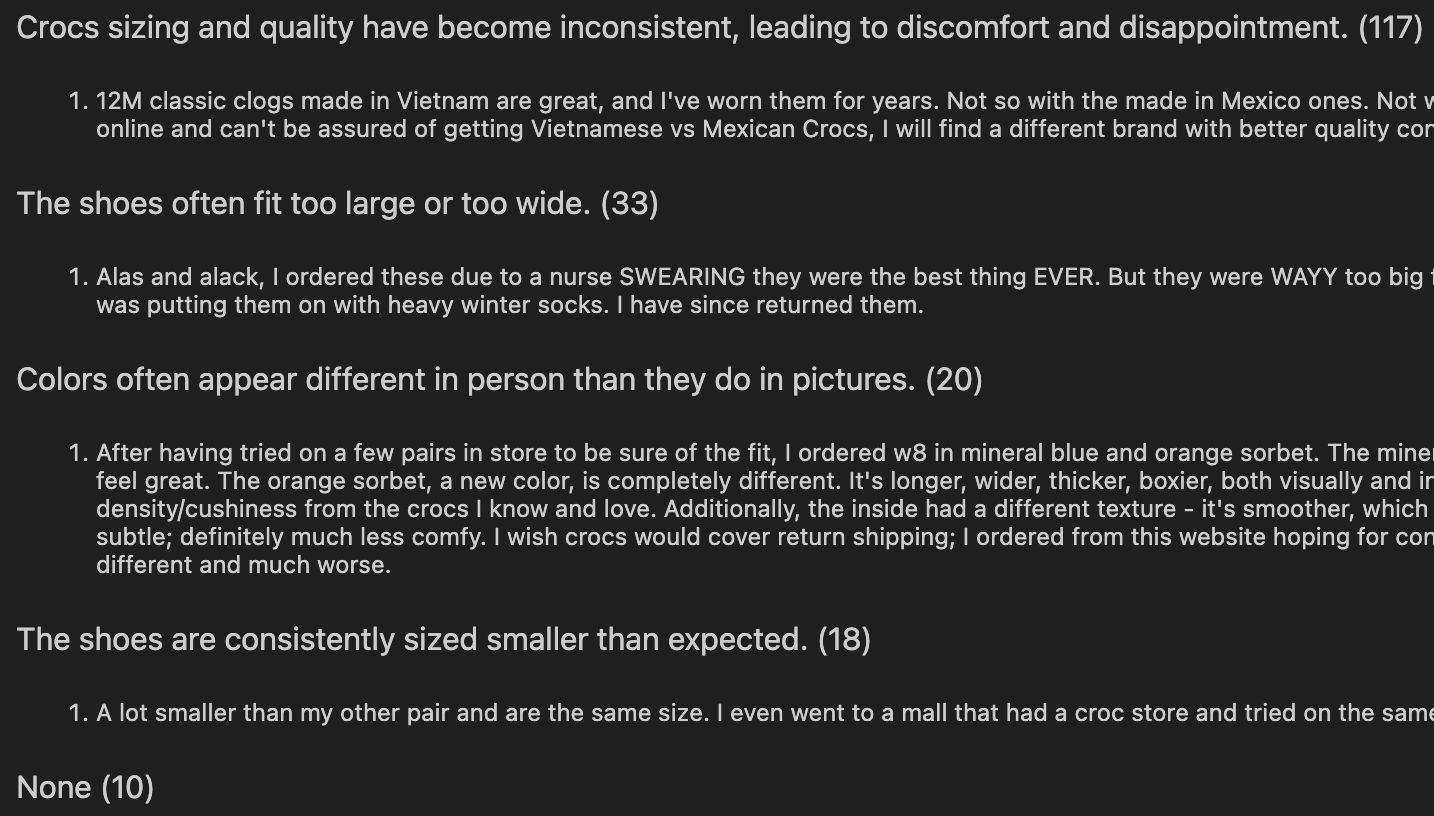
First, let’s store and cluster the reviews by semantic similarity using txtai’s built-in similarity graph, then have an LLM label each cluster.
Below are the results: each cluster’s label, review count, and a sample from the raw data.
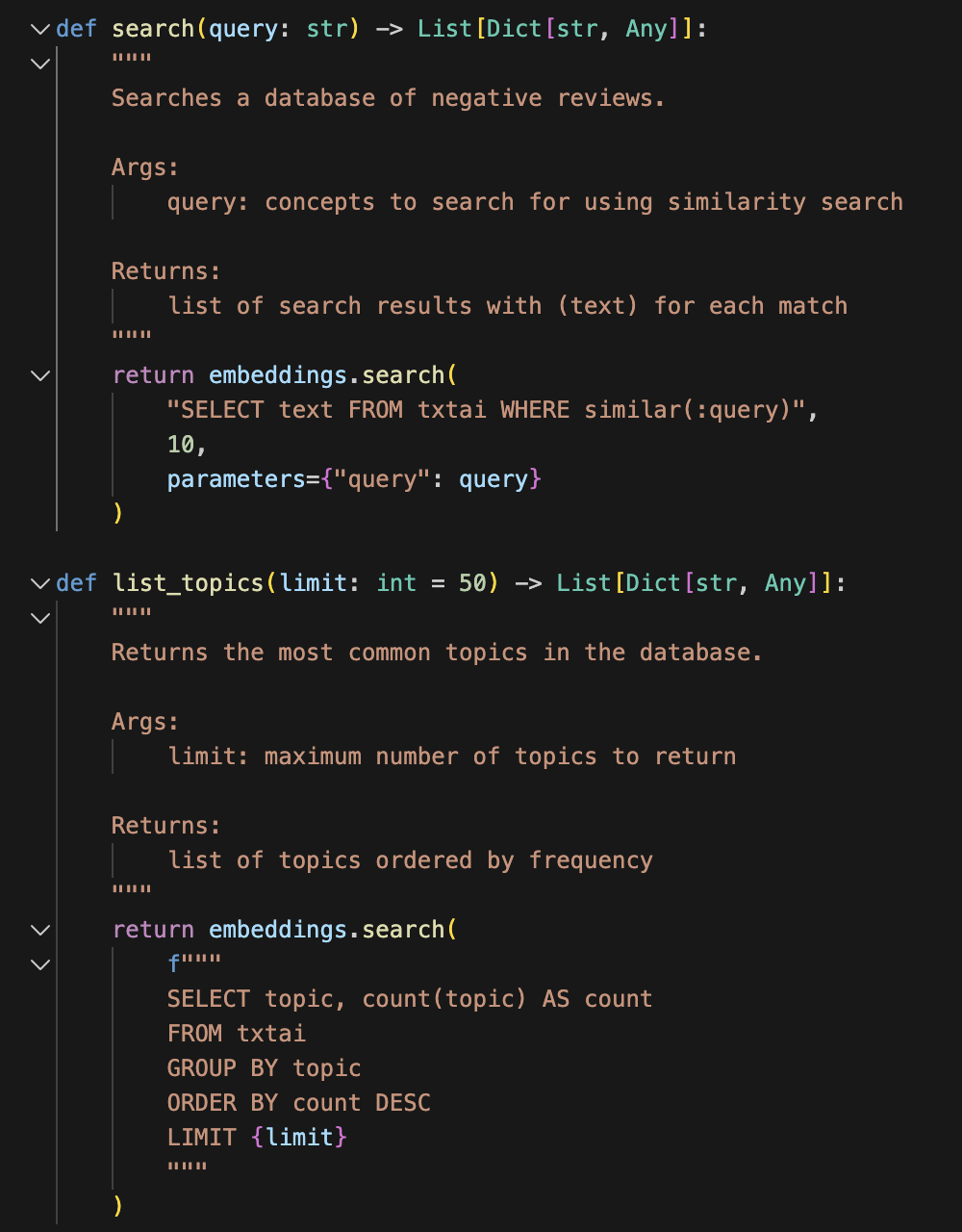
- Now let’s give an agent two tools to use to analyze the data. We’ll give it one tool to read the cluster labels (“list_topics”) and one tool to query the reviews in the dataset (“search”). Don’t worry if Python isn’t your first language (or second, or third). All you need to know is that the code below defines two tools and tells the agent how to wield them.
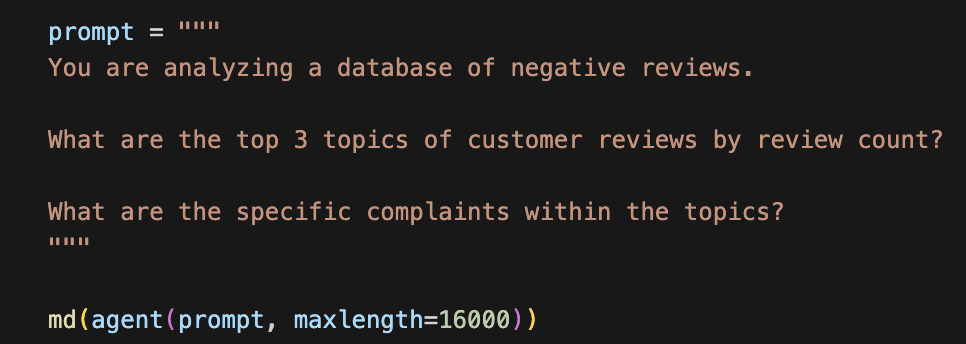
- Now let’s give the agent a goal. We’ll ask it to find the most common topics in the dataset and to provide specific complaints within each topic.
 4. Next we observe how the agent chooses to use the tools to answer the question.
First the agent identifies the top 3 clusters of review topics using the “list_topics” tool.
4. Next we observe how the agent chooses to use the tools to answer the question.
First the agent identifies the top 3 clusters of review topics using the “list_topics” tool.




- Finally, let’s see what the agent concluded from its data analysis using the two simple tools we gave it.
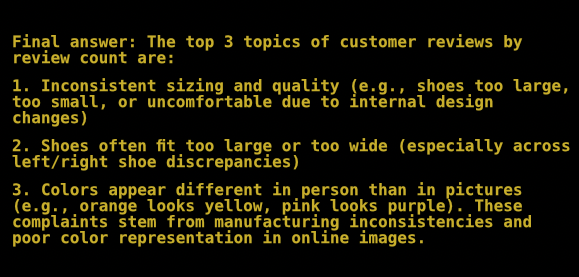
1. Inconsistent sizing and quality (e.g., shoes too large, too small, or uncomfortable due to internal design changes)
2. Shoes often fit too large or too wide (especially across left/right shoe discrepancies)
3. Colors appear different in person than in pictures (e.g., orange looks yellow, pink looks purple). These complaints stem from manufacturing inconsistencies and poor color representation in online images.
Epilogue: It took me a while to wrap my head around why anyone would use agents instead of just manually coding sequential calls to an LLM API. For me, the big unlock to understanding agents was better understanding what “tools” are and how they’re provided to the agent. Giving an agent a list of tools and some freedom to think for itself provides a lot of flexibility not found in traditional computer programs, which require instructions for how to handle every scenario. I hope this example helps illustrate this.